Harness Engineering
How I use guides and sensors around AI coding agents to ship features at Sale Sync
Company: Sale Sync
Role: Software Engineer
Topic: AI agent harnesses
Status: Ongoing practice
Author: Ye Thiha
Published: August 12, 2026
So, What Exactly Is Harness Engineering?
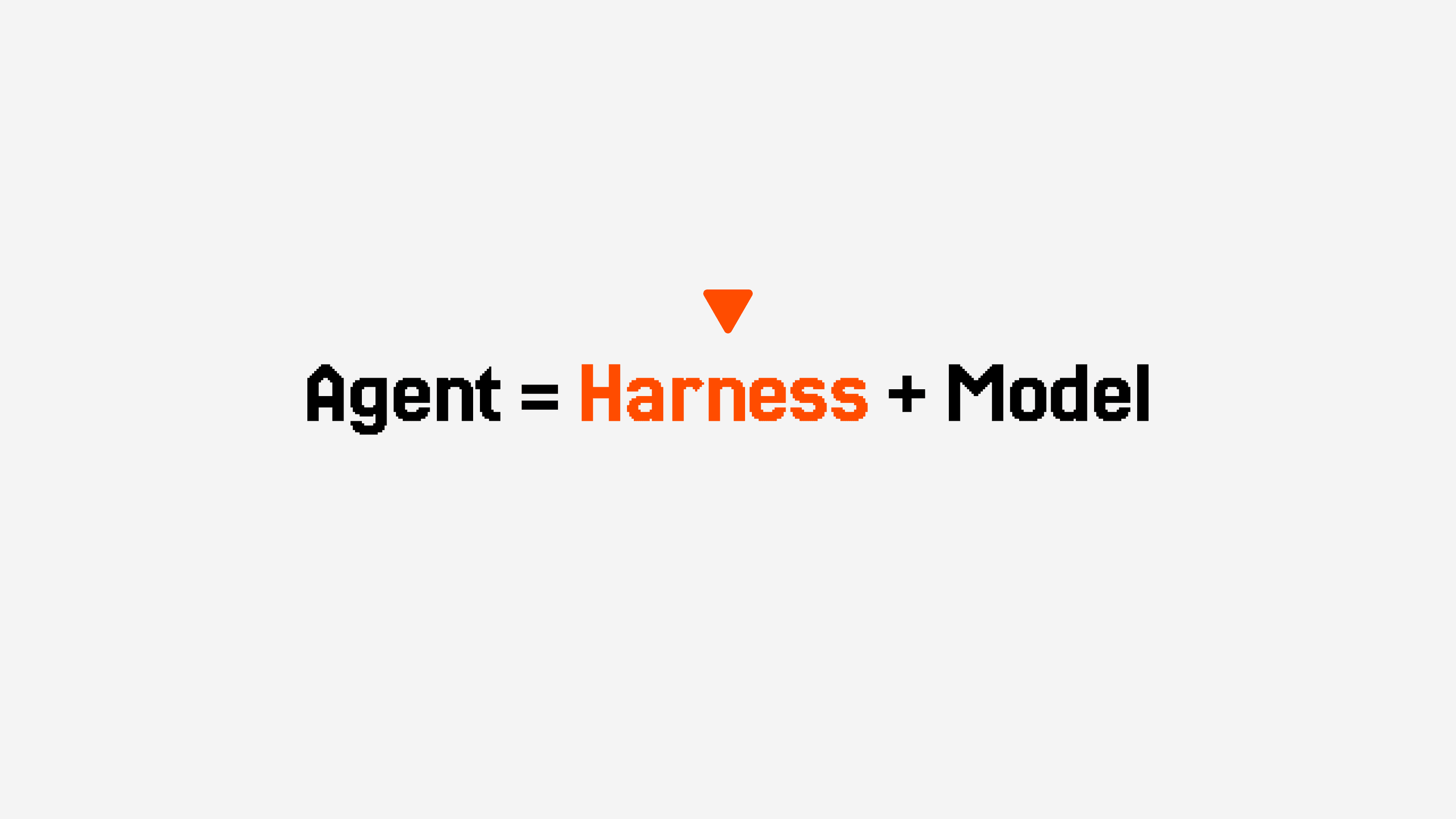
An agent consists of a model and a harness. The model is the intelligence while the harness is everything else.
Agent = Harness + Model
- Hashimoto's framing: Mitchell Hashimoto, creator of HashiCorp, Terraform, and Vagrant, introduced the term on his blog in "My AI Adoption Journey" (February 2026). An agent performs better when it gets a result right the first time, or needs only minimal touch-ups. Every time his agent made the same mistake twice, he engineered a permanent fix into its environment instead of re-prompting around it forever. He did it by updating AGENTS.md or writing a programmed tool, such as a script or a verification check.
- LangChain's framing: Within weeks, LangChain formalized the idea in "The Anatomy of an Agent Harness" with the equation Agent = Model + Harness. The harness is every piece of code, configuration, and execution logic that is not the model itself. It consists of system prompts, tools, bundled infrastructure, orchestration logic, and hooks.
- Böckeler's framing: Harness can be split into two control types:
- Guides: feedforward controls that steer an agent before it acts.
- Sensors: feedback controls that observe after it acts and help it self-correct.
- SIG's framing: the Software Improvement Group grounded the term in code-quality research, finding agent-only code scored 1.1 out of 5 on maintainability against 3.1 out of 5 for human-in-the-loop code, and tracing the gap to design boundaries, test strategy, dependency hygiene, and scope control.
Harnessing Layers
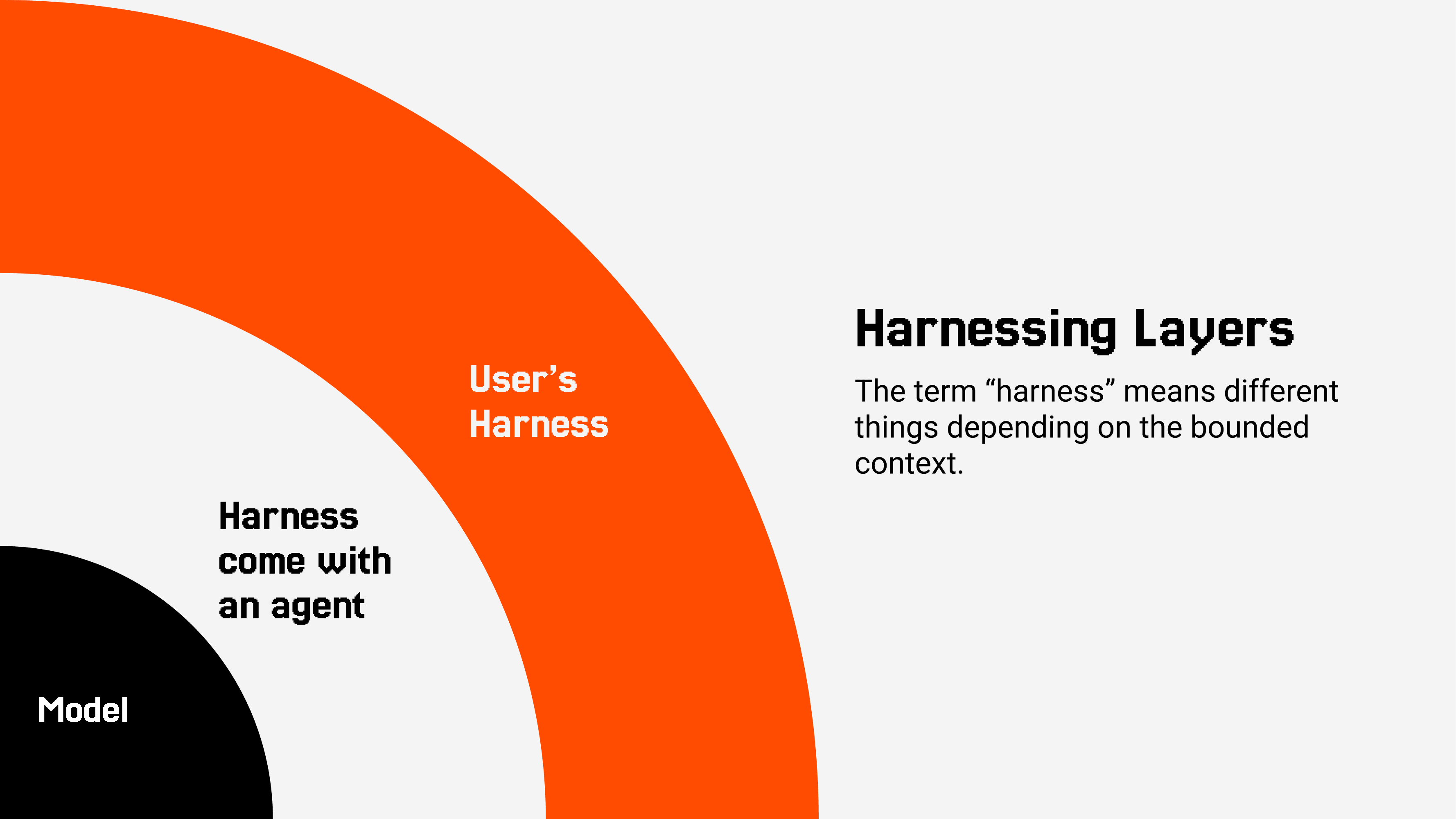
"Harness" is not a single, flat thing. It consists of nested layers, not one single piece, as Böckeler describes it. The model (LLM) sits in the innermost layer. Around that comes the harness layer that ships with an agent (e.g., Claude Code). Finally, the user's (Software Engineer's) harness layer extends the harness layer that comes with an agent.
Guides and sensors are the working vocabulary I use throughout the rest of this case study, applied backward from what I actually need at Sale Sync rather than forward from a list of available tools.
Why I Need a Harness?
A raw model without a harness makes the same category of mistake indefinitely:
- Wrong framework conventions.
- The same permission re-litigated on every safe command.
- Scope creep that slips past review.
None of that gets fixed by a better model alone. It gets fixed by closing the loop, encoding the fix into the environment once so the agent stops making that mistake for good.
How I Built the Harness
I start from the behavior I actually need from an agent working in the workspace. Once I know that, I configure the harness to produce it. This strategy is known as "Working Backwards."
Working Backwards
"Working backwards" is a planning direction, not a step backward. It means naming the outcome I need from the agent first, then configuring the harness to produce it. This strategy forces me to build the harness around a real need, instead of starting from a list of available tools and hoping one fits.
I use it because there is no off-the-shelf harness for our internal framework and workspace. Starting from the tools already on hand means reaching for whatever is closest instead of what the task actually needs.
In practice, that means each of the following needs is stated on its own first, then followed by the specific harness piece, custom tool, guide, or sensor, that answers it.
Custom Tools for a Framework
I need an agent that writes framework-conformant code on the first try, not code I have to rewrite. Our internal Lambda framework has conventions no public model has trained on:
- How controllers, services, and modules wire together.
- How auth guards get applied.
- How DynamoDB access is structured.
The harness answers with a custom MCP server, one I built specifically for this framework.
- Three tools, one each for the controller, service, and module layers, generate framework-conformant boilerplate on request instead of leaving conventions to be inferred from scattered examples.
- The framework's own docs are served as MCP resources instead of static files, so the agent pulls documentation on demand rather than carrying it in every prompt.
- A design-system MCP, for the same reason.
Steering the Agent Before It Acts
I need an agent that never touches a secret, and never re-litigates permission for a command already proven safe. Asking for the same approval on every call trains me to click approve without reading, which defeats the point of asking.
The harness answers with allowlists, denials, and on-demand context, set once at the workspace level.
- Execution commands already proven safe (test, build, and lint commands) are pre-allowlisted, removing repeated permission friction for exactly the commands that need none.
- Anything npx-prefixed stays gated, since it can resolve and execute arbitrary packages. Harness engineering isn't only about reducing friction. It's choosing where friction should stay.
- A workspace-wide security baseline denies read and write access to env files, secrets, and configs, so no individual project can loosen it by accident.
- Skills load workspace conventions on demand, design tokens, API framework rules, backlog workflow, house copy style, so the agent has the right context before it writes anything.
Catching What Slips Through
I need mistakes caught before they reach a reviewer, not after. Guides prevent most of the obvious ones, but scope creep and small copy leaks are easier to catch by inspecting the result than by steering the process.
The harness answers with dispatched review agents, run as a focused, isolated pass over the actual output.
- One review agent flags scope creep against the product roadmap's staged boundaries.
- Another enforces that every feature spec ships with a diagram.
- A third catches competitor names or comparison framing leaking into public-facing copy.
Observation Without Another Inference Pass
I need to read state and results back quickly, without paying for another model call just to check on something. Not every check needs to be smart. Most just need to be fast and correct.
The harness answers with deterministic, script-backed tooling, kept separate from the review agents above.
- Backlog status scripts, pre-allowed by absolute path, for reading task and plan state.
- Dev-preview and screenshot capture, wired per project, for seeing an actual rendered result.
- Monitor and TaskOutput for reading results back from dispatched agents in the background.
Where This Goes Next
The next concrete pieces are improving the design-system MCP and the custom API framework MCP server. Building them out is also how I find the patterns for what our workspace and projects actually need. Each pattern I find becomes config that improves the harness for future tasks. Beyond that, the open question is the same one Böckeler and SIG are both circling. How much of this stays a habit I maintain by hand, and how much becomes something closer to a standard part of how a workspace is set up at all.
Better models will keep shrinking the list of mistakes I have to engineer around. They will not remove the need for a harness. An agent without one still drifts, no matter how good the model underneath it gets. Agent = Model + Harness holds up.
References
- Mitchell Hashimoto, "My AI Adoption Journey" (mitchellh.com)
- LangChain, "The Anatomy of an Agent Harness" (langchain.com)
- Birgitta Böckeler, "Harness engineering for coding agent users" (martinfowler.com)
- Werner Heijstek, Software Improvement Group, "What is harness engineering?" (softwareimprovementgroup.com)